
WalletConnect for Ethereum Betting: How QR Pairing Replaces Passwords
 Available in US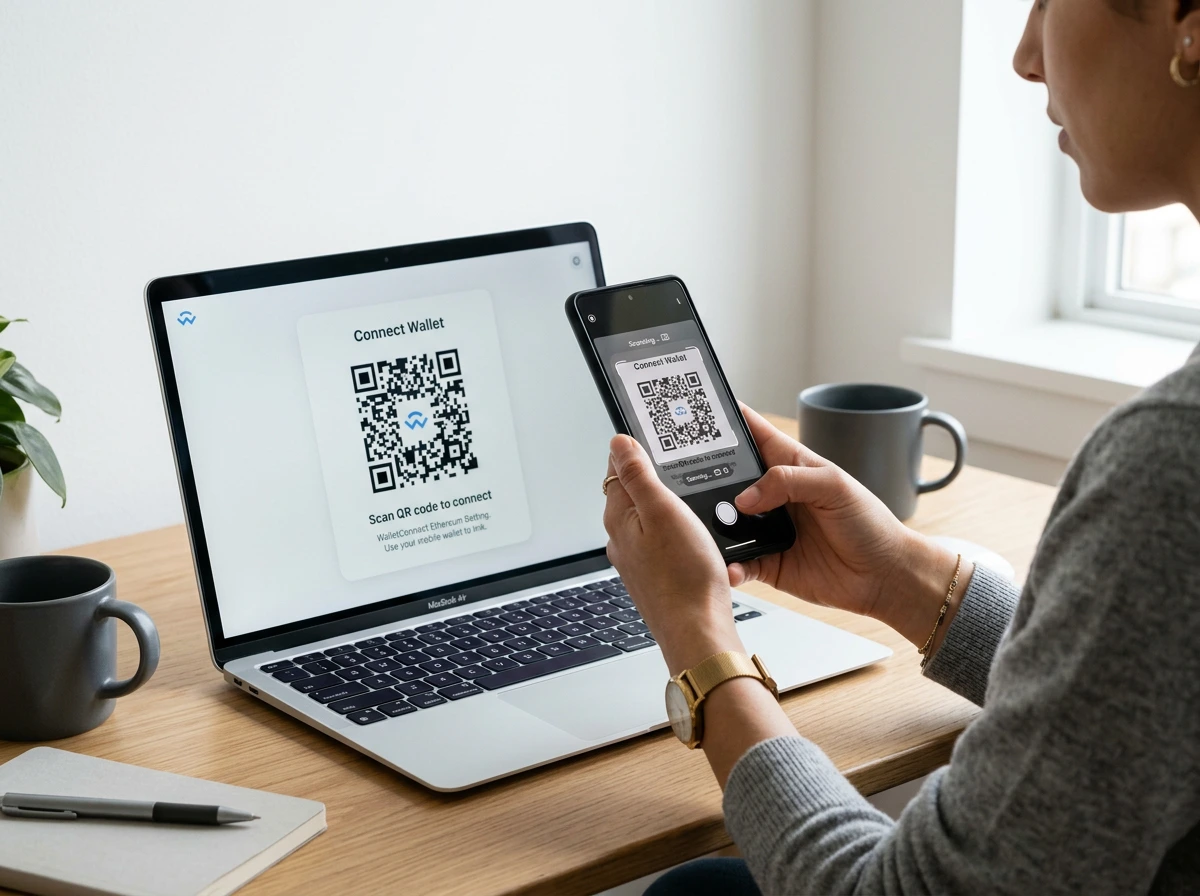
WalletConnect Turned a Browser Extension into a Universal Login
Before WalletConnect existed, using a crypto sportsbook on mobile was an exercise in frustration. You either needed the sportsbook’s site open inside your wallet’s built-in browser – a clunky experience at best – or you copied deposit addresses back and forth between apps, praying you did not fat-finger a character. WalletConnect changed that by creating a protocol that lets any wallet talk to any dApp, on any device, through a simple QR code scan or deep link.
The protocol now underpins the connection between millions of wallets and thousands of Web3 applications, including a growing number of crypto sportsbooks. With 127 million active Ethereum wallets in the ecosystem, WalletConnect has become the default bridge between a bettor’s wallet and the platform where they place wagers. It is not a wallet itself – it is the plumbing that connects your wallet to the sportsbook, regardless of which wallet you use or which device it runs on.
Super Group, Betway’s parent company, described their digital asset wallet as a crucial first step in integrating digital assets into their product stack. WalletConnect is the protocol that makes that integration possible without requiring each sportsbook to build custom integrations for every wallet on the market.
How WalletConnect Pairs Your Wallet to a Sportsbook
The pairing process takes about 10 seconds and works the same across every compatible sportsbook.
On the sportsbook’s website, you click “Connect Wallet” and select WalletConnect from the options. The site generates a QR code – a unique, encrypted session identifier. You open your mobile wallet app (MetaMask, Trust Wallet, Rainbow, or any WalletConnect-compatible wallet), tap the QR scanner, and point your camera at the code. The wallet displays the sportsbook’s name and asks you to approve the connection. Tap approve, and the session is live.
From this point, the sportsbook can request transactions through the established session. When you initiate a deposit, the sportsbook sends the transaction details to your wallet via WalletConnect’s relay network. Your wallet displays the transaction – amount, destination, estimated gas fee – and asks you to confirm or reject. You review, confirm, and the transaction broadcasts to Ethereum. The sportsbook never touches your private keys.
If you are on desktop and your wallet is on your phone, the QR code bridges the gap between devices. If you are on mobile and both the sportsbook and wallet are on the same phone, the connection happens via deep link instead of QR – the sportsbook sends you to the wallet app, you approve, and you are returned to the sportsbook’s browser tab. The 2026 version of WalletConnect (v2) supports multiple simultaneous sessions, meaning you can stay connected to several sportsbooks at once without re-pairing each time you switch.
Security Model: What WalletConnect Can and Cannot Do
The security model is worth understanding because it defines the boundaries of trust.
WalletConnect never has access to your private keys. The protocol creates an encrypted communication channel between your wallet and the sportsbook. The sportsbook can propose transactions, but only your wallet can sign them. This means a compromised sportsbook cannot steal your funds through a WalletConnect session – the worst it can do is send you malicious transaction proposals, which your wallet must display for your approval before anything executes.
The risk lives in approval fatigue. After pairing with a sportsbook and approving three or four deposits, you develop muscle memory. Tap approve, tap approve, tap approve. If a malicious transaction slips in – a token approval granting the sportsbook unlimited access to your ERC-20 tokens, for example – you might approve it without reading the details. This is not a WalletConnect vulnerability; it is a human one. Wallets like Rabby mitigate this by simulating every transaction before you sign, showing you the exact outcome in plain language.
Session management matters too. WalletConnect sessions persist until you or the sportsbook disconnects them. A session you forgot about six months ago is still active, and the sportsbook can still push transaction requests through it. Periodically review your active sessions in your wallet’s settings and disconnect any you are no longer using. This is basic digital hygiene that most users neglect.
One attack vector specific to betting: a phishing site that mimics a legitimate sportsbook’s interface can generate a WalletConnect QR code. If you scan it, you pair your wallet with the attacker’s server, and subsequent transaction proposals come from them, not the real sportsbook. Always verify the URL before scanning a WalletConnect QR code, just as you would before entering a password on any website.
Common WalletConnect Issues on Betting Sites
After years of testing WalletConnect across dozens of sportsbooks, I have a running list of problems that recur often enough to be worth documenting.
Session drops are the most common issue. The WalletConnect relay server occasionally loses the connection between your wallet and the sportsbook, usually after a period of inactivity. The sportsbook shows “wallet connected” but transactions fail silently. The fix is to disconnect and re-pair. Most wallets let you disconnect from the session manager; on the sportsbook side, refreshing the page usually resets the connection state.
Network mismatches cause confusion. If your wallet is set to Arbitrum but the sportsbook expects a mainnet connection, the pairing succeeds but deposit transactions fail with opaque error messages. WalletConnect v2 includes chain-switching proposals – the sportsbook can request your wallet to switch networks – but not all platforms have implemented this feature. Verify your wallet’s active network before initiating a deposit.
Mobile-to-mobile deep linking is unreliable on some devices. Android handles app-switching smoothly in most cases, but certain phone manufacturers’ battery optimisation aggressively kills background apps, breaking the return link from the wallet back to the browser. iOS handles the deep link more consistently but adds extra taps. If the deep link fails, fall back to the QR method: open the sportsbook in one browser tab and the wallet in another, then scan manually.
Timeout windows vary by sportsbook. Some platforms give you 60 seconds to approve a transaction in your wallet before the session expires. Others give 30 seconds. If you are on a slow phone or need to unlock your wallet app first, that window can pass before you reach the approval screen. Knowing your platform’s timeout – and having your wallet unlocked before initiating a deposit – prevents unnecessary frustration. For a broader guide on connecting wallets to sportsbooks across different scenarios, the deposit walkthrough covers the full flow from wallet setup to confirmed deposit.
Is WalletConnect safe to use on ETH betting sites?
WalletConnect is secure by design – it never accesses your private keys. The protocol creates an encrypted channel for the sportsbook to propose transactions, but only your wallet can sign them. The main risk is user error: approving malicious transactions without reading them, or pairing with a phishing site that mimics a legitimate sportsbook. Always verify the URL before scanning a QR code and review every transaction proposal carefully before confirming.
Can I use WalletConnect with a hardware wallet for betting?
Yes. Ledger and Trezor both support WalletConnect connections. Pair the hardware wallet through its companion app, and transaction proposals route to the hardware device for physical confirmation. This adds the security of offline key storage to the WalletConnect workflow. The trade-off is speed – each transaction requires physical button presses on the device, adding 15 to 30 seconds per confirmation.
What should I do if WalletConnect fails to connect to a sportsbook?
First, check that your wallet and the sportsbook are on the same network (mainnet, Arbitrum, etc.). Refresh the sportsbook page to generate a new QR code. Disconnect any stale sessions in your wallet’s WalletConnect settings. If using mobile deep links, try the QR method instead. Ensure your wallet app is updated to the latest version, as older versions may not support WalletConnect v2.