
Ethereum Mobile Betting: Placing ETH Wagers from Your Phone
 Available in AU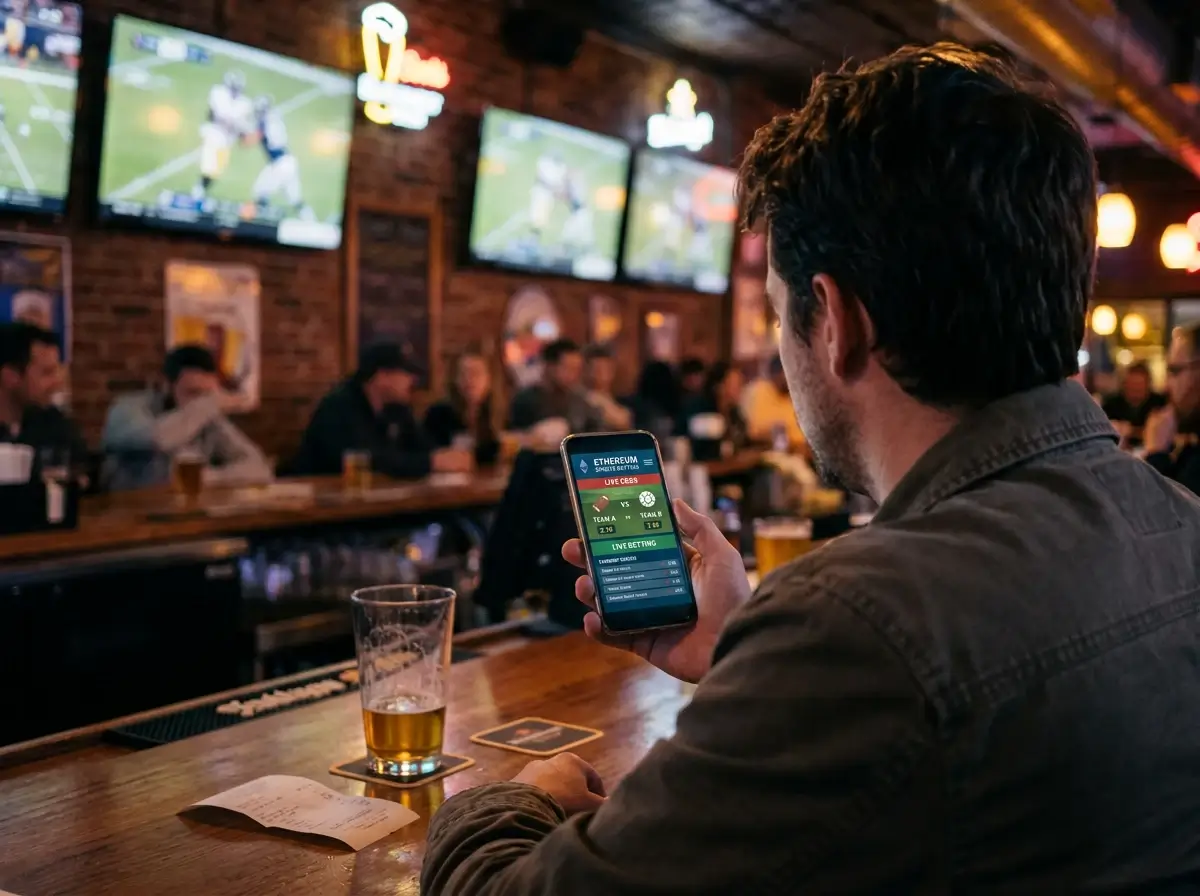
Mobile Is Where Most Crypto Bets Happen Now
Last year I tracked my own betting sessions for three months. Out of 147 bets placed, 119 came from my phone – at the pub, on the couch, waiting for a flight. I am not an outlier. Mobile platforms now capture over 53% of the online gambling market share, growing at 13.65% annually, and crypto bettors skew even more heavily mobile because the demographic is younger and more phone-native than the traditional gambling audience.
By 2026, an estimated 80% of all crypto gambling activity happens on mobile devices. That figure surprised me until I considered the workflow: you check odds on your phone, you see a line you like, you want to bet now – not later when you get home to a desktop. If the mobile experience adds friction – wallet connection failures, network switching bugs, unresponsive interfaces – the bet does not get placed. And for sportsbooks, an unplaced bet is lost revenue.
The result is that mobile ETH betting in 2026 is functional but uneven. Some platforms have nailed the experience. Others feel like a desktop site crammed into a mobile viewport with a prayer. The difference comes down to three things: wallet integration, browser versus app architecture, and how the platform handles the quirks specific to crypto on small screens.
Connecting a Mobile Wallet to a Sportsbook
Super Group, Betway’s parent company, called their digital asset wallet a crucial first step in integrating digital assets into their product stack. That language – “product stack,” not “payment option” – signals where the industry is heading. The wallet is becoming the login, the payment method, and the identity layer all at once.
On mobile, wallet connection follows one of two paths. The first is WalletConnect, which generates a QR code or deep link that your mobile wallet app recognises. Tap “Connect Wallet” on the sportsbook’s mobile site, and it prompts you to open MetaMask or Trust Wallet. Approve the connection in your wallet app, and you are linked. Deposits and transaction signing happen through the wallet app, with the sportsbook’s browser tab waiting in the background.
The second path is the in-app browser. Trust Wallet on Android includes a built-in browser where you navigate directly to the sportsbook. Everything happens within the wallet app – no context switching, no QR codes, no “waiting for wallet response” screens. This is measurably smoother for repeat users, but it requires you to trust your wallet app’s browser engine with the sportsbook’s interface.
iOS complicates both paths. Apple’s App Store restrictions have historically limited dApp browser functionality in wallet apps, which is why MetaMask for iOS routes wallet interactions through WalletConnect rather than an in-app browser. The extra steps – tap connect, switch to MetaMask, approve, switch back to the sportsbook – add about 10 to 15 seconds per interaction. Not a dealbreaker, but noticeable during rapid deposit-and-bet flows.
My workflow on iOS: open the sportsbook in Safari, tap the wallet connect button, approve in MetaMask, then keep both apps in my recent-apps switcher for the session. It becomes muscle memory after a few uses, but the first time is disorienting if nobody tells you what to expect.
Native Apps vs Mobile Browser dApps
Crypto sportsbooks deliver their mobile experience through one of three formats: native iOS/Android apps, progressive web apps (PWAs), or plain mobile-optimised websites. Each has trade-offs that matter for ETH betting specifically.
Native apps offer the smoothest interface but face App Store gatekeeping. Apple and Google both restrict real-money gambling apps and have banned crypto payment functionality in some contexts. The result is that most crypto sportsbooks distribute their apps through direct APK downloads on Android, bypassing the Play Store entirely. On iOS, a handful have achieved App Store approval, but wallet integration within the app is limited by Apple’s policies.
PWAs sit in the middle. They run in your browser but install to your home screen, support push notifications, and cache content for faster loading. A well-built PWA feels almost like a native app without the App Store restrictions. Several major crypto sportsbooks now default to this model, and it pairs well with WalletConnect because the wallet interaction happens through the same browser context.
Standard mobile websites are the lowest-friction option – no installation, no downloads – but the experience depends entirely on the sportsbook’s responsive design quality. Some render beautifully on mobile. Others display desktop layouts scaled down to a phone screen, with buttons too small to tap accurately and deposit forms that require horizontal scrolling.
For ETH bettors, the key question is wallet compatibility, not app format. A native app that does not support WalletConnect is less useful than a mobile website that does. Check wallet integration first, then evaluate the interface quality second.
Mobile UX Pitfalls Specific to ETH Betting
Certain problems only surface on mobile, and they all stem from the same root cause: crypto transactions require interactions between two separate apps (the sportsbook and the wallet) on a device designed for single-app focus.
Network switching is the biggest pain point. If you have MetaMask set to Arbitrum but the sportsbook expects a mainnet deposit, the transaction will fail or hang. On desktop, switching networks is a single click in the MetaMask extension. On mobile, it requires opening the MetaMask app, navigating to settings, selecting the correct network, then switching back to the sportsbook – a process that breaks flow and confuses new users.
Transaction signing timeouts are another mobile-specific issue. When the sportsbook sends a transaction to your wallet for approval, you have a limited window to switch to the wallet app, review, and confirm. If you take too long – because you got a phone call, a notification pulled you away, or you simply did not notice the prompt – the session expires and you need to restart the deposit flow.
Battery and connectivity matter more than you would expect. Wallet connections over WalletConnect maintain a real-time session between the sportsbook and your wallet. Poor mobile signal or aggressive battery optimisation that kills background apps can drop that session mid-deposit. I have had Trust Wallet’s background process killed by Android’s battery saver during a deposit flow, forcing a full reconnection.
The fix for most of these issues is preparation. Set your wallet to the correct network before opening the sportsbook. Disable battery optimisation for your wallet app. Keep both apps in your recent switcher. And if you are heading somewhere with patchy signal, pre-fund your sportsbook account before you leave reliable coverage. For a complete walkthrough of the wallet-to-sportsbook connection process, the wallet comparison guide covers each wallet’s mobile-specific strengths and weaknesses.
Mobile ETH Betting Questions
Can I connect MetaMask to a sportsbook on my phone?
Yes. On Android, you can use MetaMask’s in-app browser to navigate directly to the sportsbook, or connect via WalletConnect from the sportsbook’s mobile site. On iOS, MetaMask connects through WalletConnect, which requires switching between the Safari browser and the MetaMask app to approve transactions. The process works reliably but adds extra taps compared to the desktop experience.
Are there dedicated ETH betting apps for iOS or Android?
A few crypto sportsbooks offer native apps, but most distribute on Android via direct APK downloads rather than the Play Store. On iOS, App Store restrictions limit crypto wallet integration in native apps. The majority of crypto sportsbooks deliver their mobile experience through progressive web apps or mobile-optimised websites, both of which support WalletConnect for ETH deposits.
Is mobile ETH betting slower than desktop?
The betting and odds display is the same speed. The slower part is wallet interaction – connecting, switching networks, and approving transactions require moving between two apps on mobile, while desktop handles it within a single browser window. With practice, the mobile workflow adds about 10 to 15 seconds per interaction. Pre-funding your account eliminates the need for wallet interaction during live betting.
The wider context sits in our Ethereum betting guide.
On a phone the choice of Ethereum wallet matters most.